⌨︎
Volume keys disabled
Press F11 or F12 and macOS shows the blocked volume overlay. The sound is coming from your monitor, but your keyboard cannot adjust it.
 VolumeBridge
Free public beta for macOS
Control HDMI, DisplayPort, USB‑C monitors, TVs, and docks with the keys already on your Mac.
Direct DMG download. No email required.
SHA‑256: ac7ef2467a2129c2d5ef769fdaff264de71f42d1e8980501ab91bdfca1b36c72
Gatekeeper: accepted as Notarized Developer ID locally. Developer ID: Developer ID Application: Arun Saraswat (HMGZQ5TD32).
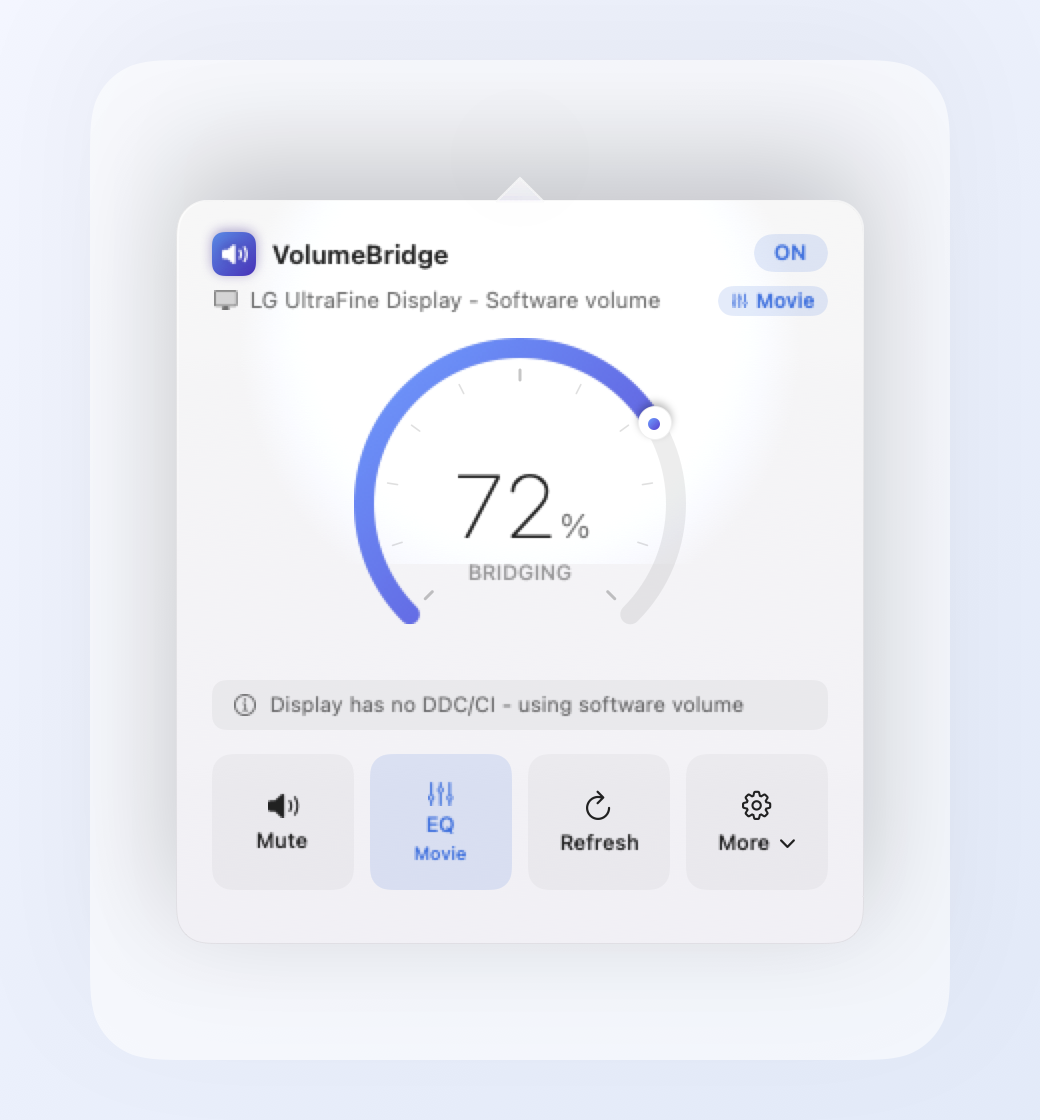
Press the keyboard volume keys. VolumeBridge adjusts your external display audio.
The tiny desk setup annoyance
Press F11 or F12 and macOS shows the blocked volume overlay. The sound is coming from your monitor, but your keyboard cannot adjust it.
Reaching for a hidden joystick or clicking through an on-screen display just to lower audio breaks your flow.
Built-in speakers, Bluetooth, USB, HDMI, DisplayPort, TVs, and docks all expose different controls. VolumeBridge smooths over the mess.
How VolumeBridge works
VolumeBridge watches your current sound output and chooses the safest control path available. It keeps normal macOS volume behavior for outputs that already work, tries real monitor speaker volume through DDC/CI where supported, and falls back to local Core Audio attenuation for fixed HDMI and DisplayPort outputs.
0x62.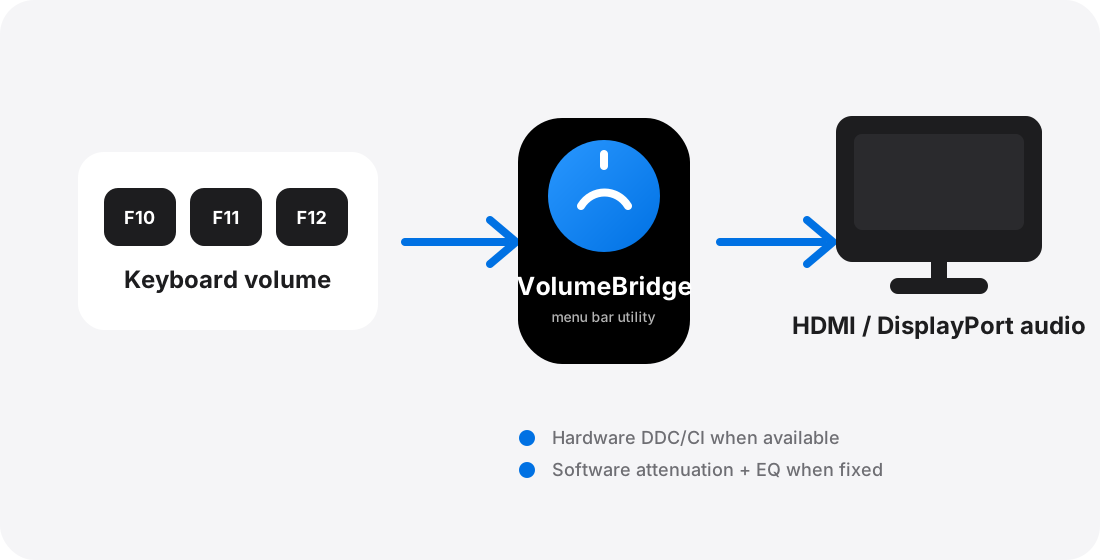
Real screenshots from VolumeBridge
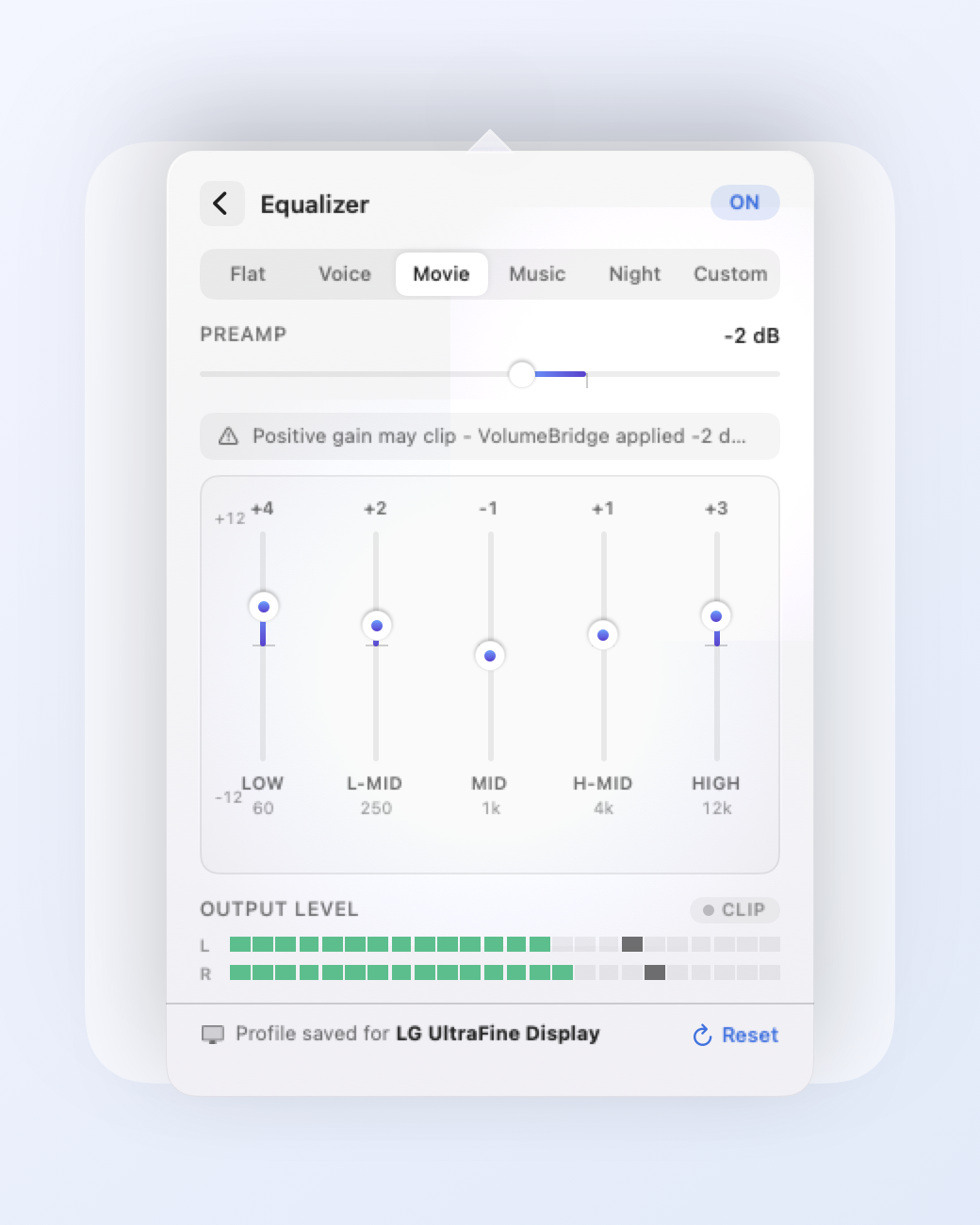
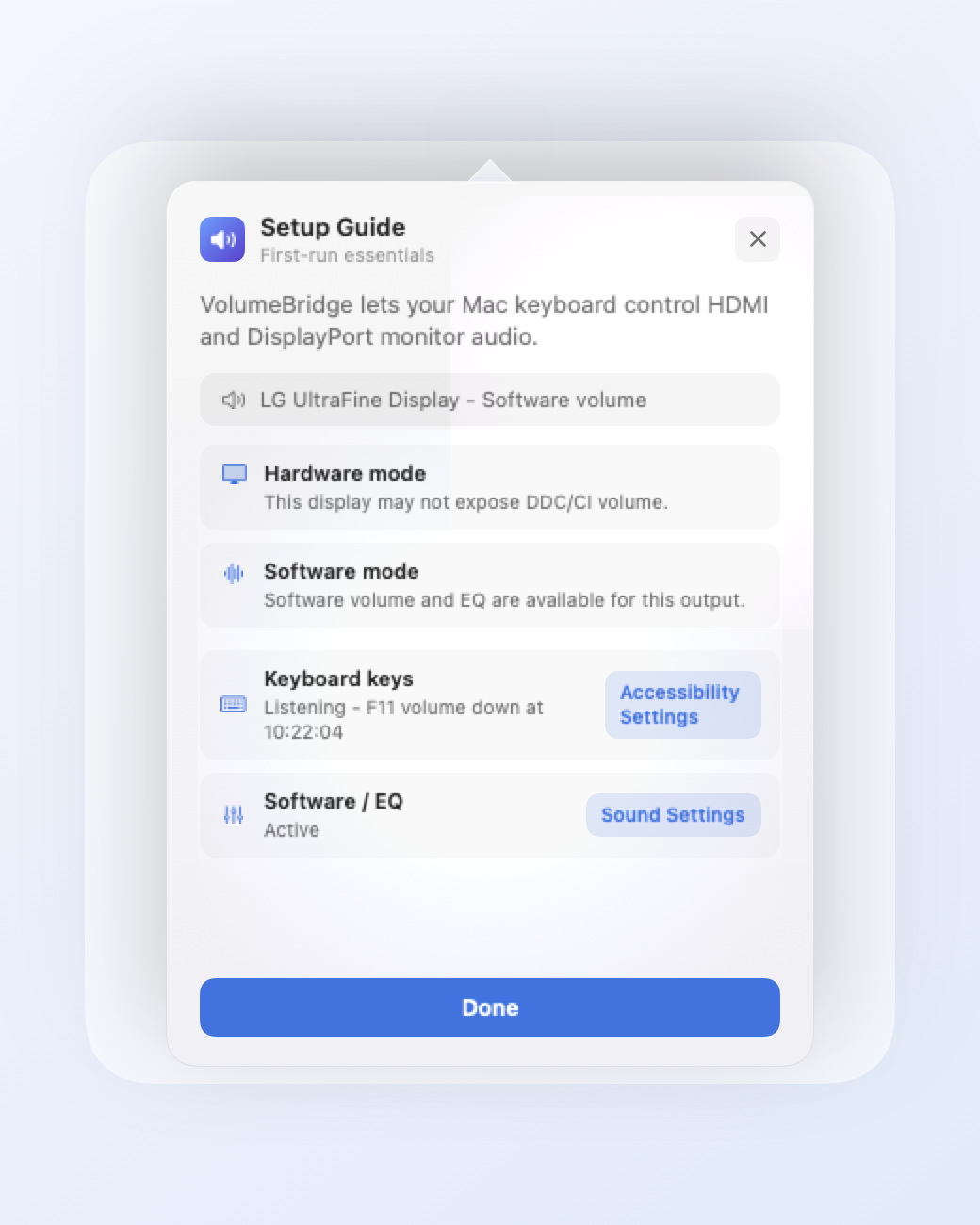
The app shows exactly what it is doing: current output, selected control mode, EQ state, permissions, and live levels.
Built for the one thing you searched for
F10 mute, F11 down, and F12 up are the headline feature — not an afterthought buried in a pro audio app.
VolumeBridge explains macOS permissions before prompting and gives you recovery steps if a permission is denied.
A small status item gives you a clean dial, setup guide, and diagnostics without taking over your workspace.
Five-band EQ, preamp/headroom, live output meters, clipping indicator, and profiles for each output.
Private by design
VolumeBridge is designed to be understandable. The app does not need accounts, cloud sync, analytics, or background helper daemons to solve this problem.
Download now. Join the launch list if you want updates.
Download the beta directly — no email required. Optionally share your monitor setup to receive compatibility updates and help improve VolumeBridge for more displays.
Questions Mac users ask first
Many displays expose HDMI/DisplayPort audio as a fixed digital output. When macOS cannot set volume on that output, it disables the normal volume control path.
No. The software path starts at 100% passthrough and attenuates from 0–100%. EQ uses headroom/clipping controls rather than unsafe boost-first behavior.
Monitor hardware control depends on DDC/CI support and the cable/dock path. When hardware control is unavailable, VolumeBridge can use software volume for eligible HDMI/DisplayPort outputs.
Yes. This beta DMG was verified locally as accepted by Gatekeeper from a Notarized Developer ID: Arun Saraswat.
macOS requires Accessibility permission for global media-key capture. VolumeBridge uses it only for mute, volume down, and volume up.
No. VolumeBridge is local. The documented app does not make network requests and does not upload audio.